
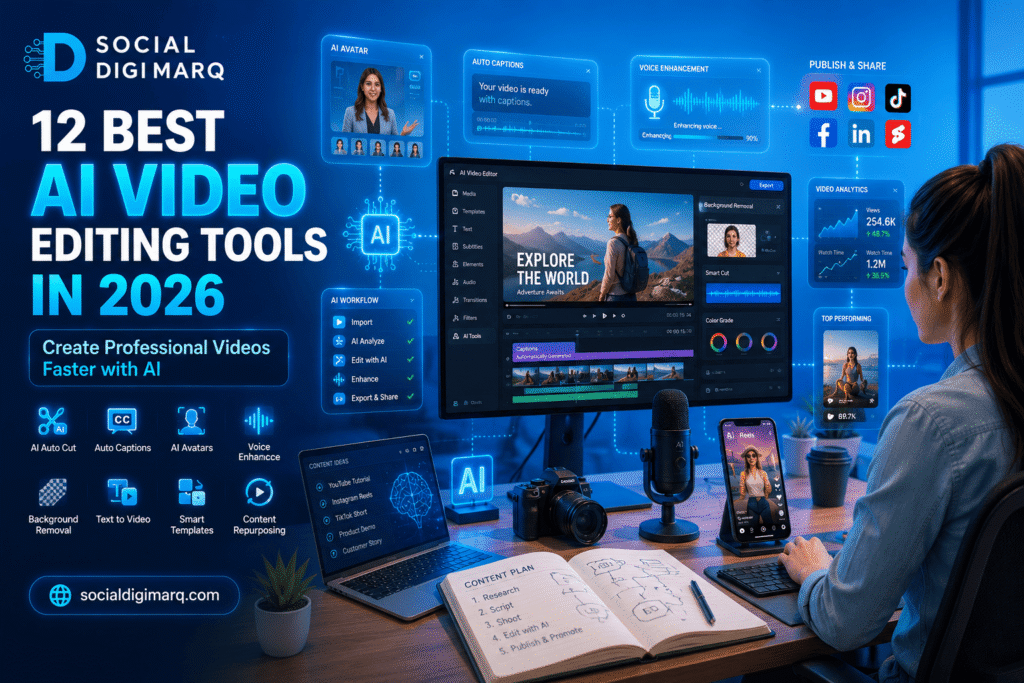
Best AI Video Editing Tools in 2026: Complete Guide for Businesses, Creators & Marketers
Introduction
Video content is no longer optional. Whether you run a business, manage a brand, work as a freelancer, or create content for social media, video has become one of the most powerful ways to attract attention, build trust, and generate leads.
The challenge is that traditional video editing takes time. Creating professional videos often requires expensive software, technical skills, and hours of editing work. For many businesses and content creators, this creates a bottleneck that slows down content production.
This is where AI Video Editing Tools are changing the game.
Modern artificial intelligence can now automate many tasks that previously required professional editors. AI can generate captions, remove backgrounds, enhance audio, create social media clips, generate AI avatars, write video scripts, and even produce complete videos from simple text prompts.
As AI technology continues to evolve in 2026, businesses that adopt AI-powered video creation are gaining a significant competitive advantage. They can publish more content, reduce production costs, improve engagement, and scale their marketing efforts faster than ever before.
In this comprehensive guide, you’ll discover the best AI video editing tools in 2026, their features, benefits, pricing considerations, and how to choose the right solution for your business or content strategy.
What Are AI Video Editing Tools?
AI Video Editing Tools are software platforms that use artificial intelligence and machine learning to automate video creation and editing tasks.
Instead of manually performing every editing action, AI assists or completely automates many processes.
These tools can:
- Generate videos from text prompts
- Create AI avatars and presenters
- Automatically edit footage
- Remove background noise
- Add captions automatically
- Generate subtitles in multiple languages
- Create short clips from long videos
- Enhance video quality
- Generate voiceovers
- Create social media-ready content
In simple terms, AI acts like a virtual video editor that helps users create professional content faster and with less effort.
How AI Video Editing Works
Most AI video editing platforms use machine learning algorithms trained on millions of video samples.
These systems can recognize:
- Faces
- Speech
- Objects
- Scenes
- Emotions
- Audio patterns
- Visual elements
By understanding video content, AI can make intelligent editing decisions that would normally require human intervention.
For example:
A one-hour webinar can automatically become:
- 10 short Instagram Reels
- 5 YouTube Shorts
- 8 TikTok videos
- Captioned LinkedIn clips
- Social media snippets
All within minutes.
Why AI Video Editing Tools Matter in 2026
The demand for video content continues to grow rapidly across every digital platform.
Businesses now compete for attention on:
- YouTube
- TikTok
- Google Discover
- AI Search Engines
Creating enough content manually is becoming increasingly difficult.
AI video editing solves this problem by improving efficiency while maintaining quality.
1. Faster Content Creation
Traditional editing can take several hours for a single video.
AI can complete many editing tasks in minutes.
This allows businesses to:
- Publish more frequently
- Stay consistent
- Respond to trends faster
- Scale content production
A marketing team that previously created two videos per week may now produce ten or more using AI-assisted workflows.
2. Lower Production Costs
Hiring professional editors can be expensive.
Many small businesses and startups have limited budgets.
AI video editing tools reduce costs by automating:
- Caption creation
- Audio enhancement
- Video trimming
- Scene transitions
- Thumbnail generation
- Social media formatting
This makes professional-quality video creation accessible to businesses of all sizes.
3. Improved Social Media Performance
Social media algorithms increasingly favor video content.
AI tools help marketers create:
- Vertical videos
- Reels
- Shorts
- TikTok content
- Story formats
without manually resizing and re-editing every video.
As a result, brands can maximize reach across multiple platforms using a single piece of content.
4. Better Engagement Rates
Videos with captions often perform better because many users watch content without sound.
AI automatically generates:
- Captions
- Subtitles
- Translations
- Highlight sections
This improves:
- Watch time
- User experience
- Accessibility
- Audience retention
Higher engagement signals can also improve visibility on social platforms.
5. Increased Productivity for Marketing Teams
Marketing professionals are expected to create content across multiple channels simultaneously.
AI reduces repetitive editing tasks so teams can focus on:
- Strategy
- Creativity
- Campaign planning
- Audience research
Instead of spending hours editing, marketers can spend more time optimizing results.
6. Stronger Personal Branding
Freelancers, consultants, coaches, and entrepreneurs can use AI video editing tools to build their personal brands faster.
AI allows individuals to:
- Create professional videos regularly
- Publish educational content
- Repurpose long-form content
- Maintain consistent branding
without needing advanced editing skills.
7. Better ROI from Existing Content
Many businesses already have valuable content hidden inside:
- Webinars
- Podcasts
- Zoom meetings
- Interviews
- Training sessions
- Customer testimonials
AI tools can transform these assets into dozens of smaller content pieces.
This helps businesses generate more value from content they have already created.
The Rise of AI Search and Video Content
Search behavior is changing dramatically.
Users now search through:
- Google AI Overviews
- ChatGPT Search
- Gemini
- Perplexity
- Bing Copilot
These platforms increasingly surface multimedia content, including videos.
AI-generated and AI-optimized videos can help businesses appear in:
- Search results
- Featured snippets
- AI-generated answers
- Knowledge panels
- Video carousels
This makes video optimization more important than ever.
Who Should Use AI Video Editing Tools?
AI video editing is useful for almost every industry.
Business Owners
Create promotional videos, testimonials, and educational content without hiring a full production team.
Digital Marketers
Produce more content for campaigns, ads, and social media channels.
Social Media Managers
Generate platform-specific videos quickly and consistently.
Freelancers
Offer video content services without extensive editing experience.
YouTubers
Edit videos faster and improve production efficiency.
Coaches and Consultants
Create educational videos, webinars, and client resources.
E-commerce Brands
Produce product demonstrations, reviews, and promotional videos.
Local Businesses
Create engaging content for Google Business Profile, Instagram, Facebook, and WhatsApp marketing.
Key Benefits of AI Video Editing Tools
The biggest advantages include:
Time Savings
Reduce editing time by up to 80%.
Cost Efficiency
Lower production expenses significantly.
Scalability
Create more content without increasing workload.
Accessibility
No advanced editing skills required.
Consistency
Maintain professional branding across all videos.
Automation
Handle repetitive tasks automatically.
Multi-Platform Publishing
Optimize content for different social channels instantly.
Enhanced Creativity
Focus on storytelling while AI manages technical editing tasks.
What Makes a Great AI Video Editing Tool?
Not all AI video platforms are equal.
The best tools should provide:
✓ Automatic captions
✓ AI-powered editing
✓ High-quality exports
✓ Social media optimization
✓ AI voice generation
✓ Easy-to-use interface
✓ Team collaboration features
✓ Brand customization
✓ Content repurposing capabilities
✓ Analytics and performance tracking
12 Best AI Video Editing Tools in 2026
Choosing the right AI video editing platform can significantly improve your content production speed and marketing results. While dozens of tools exist, only a handful consistently deliver professional-quality output for businesses, creators, and marketers.
Below are the best AI video editing tools in 2026 based on features, usability, pricing, scalability, and marketing effectiveness.
1. CapCut AI
Best For
Short-form content creators, Instagram Reels, TikTok, and YouTube Shorts.
CapCut has evolved from a simple mobile editor into one of the most powerful AI video editing platforms available.
Key Features
- AI Auto Captions
- AI Script Generator
- AI Video Background Removal
- AI Voice Generator
- AI Character Creation
- Automatic Video Enhancement
- AI Effects and Templates
Advantages
✔ Beginner-friendly
✔ Fast editing workflow
✔ Excellent for social media
✔ Free version available
Limitations
✘ Limited advanced cinematic editing
✘ Fewer enterprise-level features
Expert Recommendation
For businesses focused on Instagram Reels and TikTok marketing, CapCut remains one of the highest ROI AI video editing tools available.
2. Descript
Best For
Podcasters, educators, coaches, and content marketers.
Descript completely changes how video editing works by allowing users to edit videos through text.
Delete a sentence from the transcript and the video automatically updates.
Key Features
- Text-Based Editing
- AI Voice Cloning
- Automatic Transcription
- AI Filler Word Removal
- Studio Sound Enhancement
- Screen Recording
Advantages
✔ Extremely efficient workflow
✔ Excellent audio quality
✔ Ideal for educational content
✔ Saves hours of editing time
Limitations
✘ Learning curve for beginners
✘ Premium features require paid plans
Expert Recommendation
Perfect for webinars, podcasts, training videos, and business presentations.
3. Adobe Premiere Pro AI
Best For
Professional editors and agencies.
Adobe continues to integrate powerful AI features through Adobe Sensei.
Key Features
- Generative AI Editing
- AI Scene Detection
- Auto Color Correction
- AI Audio Cleanup
- Object Removal
- Text-Based Editing
Advantages
✔ Professional-grade editing
✔ Industry-standard software
✔ Advanced customization
✔ High-quality exports
Limitations
✘ Higher learning curve
✘ More expensive than beginner tools
Expert Recommendation
Best for agencies handling premium client projects and advanced commercial production.
4. Runway
Best For
AI-generated video creation and visual effects.
Runway is one of the most innovative AI video platforms available today.
Key Features
- Text-to-Video Generation
- Image-to-Video Creation
- AI Motion Tracking
- Object Removal
- Green Screen Automation
- AI Video Expansion
Advantages
✔ Cutting-edge AI capabilities
✔ Incredible creative freedom
✔ Fast production process
✔ Professional results
Limitations
✘ Premium features can be costly
✘ Requires experimentation
Expert Recommendation
Excellent for agencies exploring AI-generated advertising and creative campaigns.
5. Synthesia
Best For
Training videos and AI avatars.
Synthesia allows businesses to create professional presenter videos without cameras or actors.
Key Features
- AI Avatars
- Text-to-Video
- Multiple Languages
- AI Voiceovers
- Corporate Training Videos
Advantages
✔ No filming required
✔ Professional presenters
✔ Global language support
✔ Consistent branding
Limitations
✘ Less suitable for social media storytelling
✘ Higher subscription costs
Expert Recommendation
Ideal for HR teams, educators, consultants, and training departments.
6. Pictory
Best For
Turning blog posts into videos.
Pictory is particularly useful for content marketers.
Key Features
- Blog-to-Video Conversion
- AI Voiceovers
- Automatic Summaries
- Caption Generation
- Stock Media Integration
Advantages
✔ Excellent for content repurposing
✔ Fast production
✔ Great for SEO content marketing
Limitations
✘ Limited creative control
✘ Stock footage dependency
Expert Recommendation
A powerful solution for businesses that publish blogs regularly.
7. InVideo AI
Best For
Businesses creating marketing videos quickly.
InVideo AI transforms simple prompts into complete videos.
Key Features
- Text-to-Video
- AI Script Writing
- AI Voice Generation
- Social Media Templates
- Marketing Video Builder
Advantages
✔ Fast production speed
✔ Beginner friendly
✔ Large template library
Limitations
✘ Less control than professional editors
Expert Recommendation
Excellent for small businesses and startups.
8. VEED
Best For
Social media teams and agencies.
VEED combines AI editing with collaboration tools.
Key Features
- AI Subtitle Generator
- AI Translation
- Screen Recording
- AI Voice Tools
- Team Collaboration
Advantages
✔ Browser-based editing
✔ Fast collaboration
✔ Social media focused
Limitations
✘ Limited advanced editing capabilities
Expert Recommendation
Perfect for agencies managing multiple social media accounts.
9. Filmora AI
Best For
Beginner and intermediate creators.
Filmora continues to add AI features while maintaining simplicity.
Key Features
- AI Audio Enhancement
- AI Copywriting
- AI Smart Cutout
- AI Thumbnail Creation
- AI Text-Based Editing
Advantages
✔ Easy to learn
✔ Affordable pricing
✔ Strong feature set
Limitations
✘ Not ideal for enterprise projects
Expert Recommendation
A strong choice for freelancers and small business owners.
10. HeyGen
Best For
AI spokesperson videos.
HeyGen specializes in realistic AI avatar creation.
Key Features
- AI Presenters
- Talking Photo Technology
- Multi-Language Support
- Personalized Video Generation
Advantages
✔ High-quality avatars
✔ No video recording required
✔ Excellent personalization
Limitations
✘ Primarily focused on avatar content
Expert Recommendation
Useful for sales outreach, onboarding, and educational videos.
11. Opus Clip
Best For
Repurposing long-form videos.
Opus Clip automatically converts long videos into short clips.
Key Features
- AI Viral Clip Detection
- Auto Captions
- Speaker Tracking
- Social Media Optimization
Advantages
✔ Massive time savings
✔ Great for podcasts
✔ Excellent short-form content generation
Limitations
✘ Limited full editing capabilities
Expert Recommendation
One of the best tools for content repurposing.
12. Canva AI Video
Best For
Businesses already using Canva.
Canva now includes impressive AI-powered video features.
Key Features
- Magic Design
- AI Video Creation
- Text-to-Video
- Brand Kit Integration
- AI Background Removal
Advantages
✔ Easy interface
✔ Strong branding features
✔ Affordable pricing
Limitations
✘ Less advanced than specialized editors
Expert Recommendation
Ideal for startups, local businesses, and marketing teams.
AI Video Editing Tools Comparison Table
| Tool | Best For | Ease of Use | AI Features | Business Use |
|---|---|---|---|---|
| CapCut AI | Reels & Shorts | High | Excellent | High |
| Descript | Podcasts | Medium | Excellent | High |
| Adobe Premiere Pro AI | Professionals | Medium | Excellent | Very High |
| Runway | AI Creation | Medium | Excellent | High |
| Synthesia | AI Avatars | High | Excellent | High |
| Pictory | Blog Videos | High | Good | High |
| InVideo AI | Marketing Videos | High | Excellent | High |
| VEED | Social Media | High | Good | High |
| Filmora AI | Beginners | High | Good | Medium |
| HeyGen | AI Presenters | High | Excellent | High |
| Opus Clip | Repurposing Content | Very High | Excellent | High |
| Canva AI Video | Small Businesses | Very High | Good | Medium |
Which AI Video Editing Tool Should You Choose?
Choose CapCut If:
You create Reels, Shorts, and TikTok videos.
Choose Descript If:
You produce podcasts, webinars, or training content.
Choose Adobe Premiere Pro AI If:
You need advanced professional editing.
Choose Runway If:
You want cutting-edge AI video generation.
Choose Pictory If:
You regularly publish blog content.
Choose Canva AI If:
You want simplicity and fast production.
How to Use AI Video Editing Tools Step-by-Step + Best Practices + Tools & Resources
Choosing the right AI video editing software is only the first step. To get real results, businesses and marketers need a structured workflow that turns ideas into high-performing video content consistently.
This section explains exactly how to use AI Video Editing Tools effectively in 2026.
Step-by-Step Guide to Using AI Video Editing Tools
Step 1: Define Your Video Goal
Before opening any AI software, determine the purpose of your video.
Ask yourself:
- Are you generating leads?
- Building brand awareness?
- Educating customers?
- Promoting a service?
- Driving website traffic?
- Increasing social media engagement?
Example
A digital marketing agency may create:
- SEO tips videos
- Google Ads tutorials
- Client success stories
- WhatsApp marketing guides
A clear objective helps AI tools generate more relevant content.
Expert Recommendation
Create one primary goal for each video. Avoid trying to educate, sell, entertain, and promote simultaneously.
Step 2: Create a Content Brief
AI performs better when it receives clear instructions.
Your content brief should include:
- Target audience
- Topic
- Key message
- Call-to-action
- Platform
- Video length
Example Brief
Target Audience:
Small Business Owners
Topic:
How to Improve Google Business Profile Rankings
Platform:
Instagram Reels
Length:
60 Seconds
CTA:
Visit Social Digi Marq for Local SEO Services
The better your prompt, the better your AI-generated content.
Step 3: Generate a Script Using AI
Many AI video editing platforms now include script-writing tools.
Tools like:
- ChatGPT
- InVideo AI
- Pictory
- Canva AI
- Synthesia
can generate scripts within seconds.
Example Prompt
“Write a 60-second Instagram Reel script explaining how local businesses can get more Google reviews.”
AI can generate:
- Hook
- Main message
- CTA
- Voiceover script
Expert Recommendation
Always review AI-generated scripts and add personal expertise to improve authenticity.
Step 4: Create or Upload Video Assets
Most AI platforms support:
Uploaded Assets
- Recorded videos
- Product footage
- Team videos
- Customer testimonials
AI-Generated Assets
- Stock footage
- AI avatars
- AI animations
- AI voiceovers
- AI graphics
Example
A local business can upload:
- Store footage
- Product demonstrations
- Customer interactions
and allow AI to automate editing.
Step 5: Let AI Edit the Video
This is where the biggest time savings happen.
AI can automatically:
- Remove silent sections
- Cut unnecessary pauses
- Detect highlights
- Generate captions
- Enhance audio
- Improve visuals
- Add transitions
Example
A 30-minute webinar can become:
- 10 Instagram Reels
- 5 YouTube Shorts
- 8 LinkedIn clips
within minutes.
Step 6: Add Branding Elements
Professional branding improves recognition and trust.
Include:
- Company logo
- Brand colors
- Website URL
- Social media handles
- Consistent fonts
For Social Digi Marq
Add:
- Logo watermark
- Website URL
- WhatsApp contact button
- Brand blue color scheme
Expert Recommendation
Create brand templates so every video maintains a consistent visual identity.
Step 7: Optimize for Each Platform
Different platforms require different formats.
Instagram Reels
1080 × 1920
Vertical format
YouTube Shorts
1080 × 1920
Vertical format
TikTok
1080 × 1920
Vertical format
Square or landscape
Square and vertical formats
AI tools can automatically resize videos for each platform.
Step 8: Publish and Analyze Results
After publishing:
Track:
- Views
- Watch time
- Click-through rate
- Shares
- Leads generated
- Conversion rate
Expert Recommendation
Use analytics to identify which videos perform best and create similar content.
Best Practices for AI Video Editing in 2026
Many businesses use AI tools incorrectly and fail to maximize results.
Follow these proven best practices.
Focus on Human Storytelling
AI can automate editing but cannot replace genuine human experiences.
Use:
- Customer success stories
- Behind-the-scenes content
- Case studies
- Personal experiences
to build trust.
Keep Videos Short
Attention spans continue to decline.
Recommended lengths:
- Reels: 30–60 seconds
- Shorts: 30–90 seconds
- TikTok: 15–60 seconds
Shorter videos often generate higher completion rates.
Always Add Captions
Many users watch videos without sound.
Captions improve:
- Accessibility
- Watch time
- Engagement
AI caption tools make this process effortless.
Create Content in Batches
Instead of creating one video at a time:
Record:
- 10 videos
- 20 videos
- 30 videos
and let AI edit them together.
This dramatically increases productivity.
Repurpose Every Piece of Content
One long-form video can become:
- Reels
- Shorts
- TikToks
- Blog content
- LinkedIn posts
- Facebook clips
This approach maximizes content ROI.
Optimize for AI Search Engines
Search is changing rapidly.
Optimize videos for:
- Google AI Overviews
- ChatGPT Search
- Gemini
- Perplexity
Include:
- Clear titles
- Relevant keywords
- Detailed descriptions
- Accurate captions
Essential Tools and Resources
Script Writing
- ChatGPT
- Claude
- Gemini
Video Editing
- CapCut
- Adobe Premiere Pro
- Filmora
- VEED
AI Video Creation
- Runway
- InVideo AI
- Pictory
- Synthesia
- HeyGen
Design and Branding
- Canva
- Adobe Express
Content Planning
- Google Trends
- AnswerThePublic
- Keyword Planner
SEO Research
- Ahrefs
- SEMrush
- Ubersuggest
Real-World Example: AI Video Marketing Case Study
Business Type
Digital Marketing Agency
Challenge
The agency wanted to increase organic reach and generate more leads through social media but lacked the resources to create daily videos manually.
Solution
They implemented an AI-powered content workflow.
Tools Used
- ChatGPT
- CapCut AI
- Canva
- Opus Clip
Process
- Generate video ideas using AI
- Create scripts using ChatGPT
- Record one long video weekly
- Use Opus Clip to create short clips
- Edit with CapCut AI
- Design thumbnails in Canva
- Publish across multiple platforms
Results
Within a few months:
- Increased content production significantly
- Improved engagement rates
- Generated more inbound inquiries
- Reduced editing time dramatically
This demonstrates how AI video editing can help businesses scale marketing efforts efficiently.
Why AI Video Editing Matters for Digital Marketing Agencies
For agencies like Social Digi Marq, AI video editing provides opportunities to:
- Create more content for clients
- Deliver services faster
- Reduce production costs
- Improve campaign performance
- Scale operations efficiently
AI is becoming a competitive advantage rather than simply a productivity tool.
Expert Recommendations for Businesses
If you are just starting:
Beginners
Start with:
- Canva AI
- CapCut AI
Intermediate Users
Use:
- Filmora AI
- VEED
- Descript
Advanced Marketers
Choose:
- Adobe Premiere Pro AI
- Runway
- Synthesia
Agencies
Build a workflow combining:
- ChatGPT
- CapCut AI
- Runway
- Opus Clip
- Canva
This combination offers one of the most effective content production systems available in 2026.
Key Takeaway
The businesses that succeed in 2026 will not necessarily be those with the largest marketing budgets.
They will be the businesses that create valuable content consistently and efficiently.
AI Video Editing Tools make this possible by helping brands produce professional videos faster, cheaper, and at a larger scale than traditional editing methods.
Common Mistakes to Avoid When Using AI Video Editing Tools
While AI Video Editing Tools can dramatically improve productivity, many businesses fail to get the best results because they make common mistakes.
Mistake 1: Relying Entirely on AI
Why It Happens
Businesses assume AI can replace human creativity.
Impact
Videos feel generic and lack personality.
Solution
Use AI for efficiency while adding human expertise, storytelling, and brand voice.
Mistake 2: Ignoring Brand Consistency
Why It Happens
Teams use different templates and styles for every video.
Impact
Weak brand recognition.
Solution
Maintain:
- Consistent colors
- Fonts
- Logo placement
- Messaging
across all content.
Mistake 3: Using Poor Quality Source Footage
Why It Happens
Businesses expect AI to fix low-quality recordings completely.
Impact
Unprofessional videos.
Solution
Start with the highest-quality footage possible.
Mistake 4: Not Optimizing for Mobile Users
Why It Happens
Videos are created for desktop viewing.
Impact
Poor social media performance.
Solution
Design videos primarily for mobile-first consumption.
Mistake 5: Overusing AI Effects
Why It Happens
AI tools offer numerous visual effects.
Impact
Videos appear distracting and less professional.
Solution
Keep edits clean, simple, and audience-focused.
Mistake 6: Neglecting SEO
Why It Happens
Businesses focus only on visuals.
Impact
Reduced visibility.
Solution
Optimize:
- Video titles
- Descriptions
- Keywords
- Captions
- Metadata
for search engines and AI search platforms.
Mistake 7: Not Tracking Performance
Why It Happens
Businesses publish content without measuring results.
Impact
Missed optimization opportunities.
Solution
Track:
- Watch time
- Engagement
- Click-through rates
- Conversions
- Leads generated
Future Trends in AI Video Editing for 2026 and Beyond
The future of video content is increasingly driven by artificial intelligence.
Several major trends are expected to reshape content creation.
AI Video Generation from Simple Prompts
Users will increasingly create complete videos by typing simple instructions.
Example:
“Create a 60-second Instagram Reel about Local SEO.”
AI will generate:
- Script
- Visuals
- Voiceover
- Captions
- Music
automatically.
Hyper-Personalized Video Content
AI will allow businesses to create personalized videos for individual customers.
Examples include:
- Personalized product recommendations
- Customized marketing messages
- Individual sales outreach videos
AI Avatars Becoming More Realistic
AI-generated presenters are improving rapidly.
Future avatars will become:
- More natural
- More expressive
- More interactive
making them useful for business communication and training.
AI-Powered Multilingual Content
Businesses will create videos in multiple languages instantly.
This will help brands expand globally without large production costs.
Integration with AI Search
Videos will become increasingly important for:
- Google AI Overviews
- ChatGPT Search
- Gemini
- Perplexity
- Voice Search
Businesses that optimize video content for AI search platforms will gain visibility advantages.
Internal Link Suggestions
Add these links naturally throughout the article.
Video Editing Services
Anchor Text:Video Editing
Professional Video Editing Services
Content Creation Services
Anchor Text:Content Creation
Content Creation Services
Social Media Marketing Services
Anchor Text:Social Media Management
Social Media Marketing Services
SEO Services
Anchor Text:SEO
SEO Services
WordPress Development Services
Anchor Text:
WordPress Development Services
AI Search Optimization Blogs
Anchor Text:
AI Search Optimization Guide
External Link Suggestions
Use these trusted resources:
Adobe Premiere Pro
https://www.adobe.com/products/premiere.html
OpenAI
https://openai.com
Google Trends
https://trends.google.com
Google Search Central
https://developers.google.com/search
Runway
https://runwayml.com
CapCut
https://www.capcut.com
Conclusion
AI Video Editing Tools are transforming how businesses, marketers, creators, and agencies produce content.
What once required expensive equipment, advanced editing skills, and hours of manual work can now be accomplished in a fraction of the time using artificial intelligence.
From automatic captions and AI-generated scripts to text-to-video creation and content repurposing, AI has become an essential part of modern video marketing.
The best AI Video Editing Tools help businesses:
- Save time
- Reduce production costs
- Scale content creation
- Improve marketing performance
- Generate more engagement
However, the most successful strategy is not replacing humans with AI.
It is combining human creativity, expertise, and storytelling with AI-powered efficiency.
Businesses that embrace AI Video Editing Tools today will be better positioned to compete in the future of digital marketing, social media, and AI-powered search.
Action Steps
- Choose an AI video editing platform.
- Create a content workflow.
- Optimize videos for SEO and AI Search.
- Track performance consistently.
- Scale content production strategically.
The future belongs to businesses that create valuable content consistently, and AI makes that process faster than ever before.
FAQs
What are AI Video Editing Tools?
AI Video Editing Tools are software platforms that use artificial intelligence to automate video editing tasks such as caption generation, scene detection, audio enhancement, script creation, and video production.
Which AI Video Editing Tool is best for beginners?
CapCut AI, Canva AI, and Filmora AI are among the best options for beginners because they are easy to use and require minimal editing experience.
Can AI completely replace video editors?
No. AI can automate repetitive tasks, but human creativity, storytelling, strategy, and branding remain essential for high-quality content.
Are AI Video Editing Tools suitable for businesses?
Yes. Businesses use AI Video Editing Tools to create marketing videos, training materials, social media content, product demonstrations, and promotional campaigns more efficiently.
Which AI Video Editing Tool is best for social media marketing?
CapCut AI, Opus Clip, Canva AI, and VEED are excellent choices for creating social media content such as Instagram Reels, TikTok videos, YouTube Shorts, and Facebook videos.
How do AI Video Editing Tools help digital marketers?
They reduce editing time, increase content output, improve efficiency, support content repurposing, and help marketers create more engaging video campaigns.
Can AI Video Editing Tools improve SEO?
Yes. Videos with captions, optimized titles, descriptions, and structured content can improve visibility in search engines and AI-powered search platforms.
What is the future of AI Video Editing?
The future includes text-to-video generation, realistic AI avatars, personalized video content, multilingual production, and deeper integration with AI search engines and marketing platforms.