
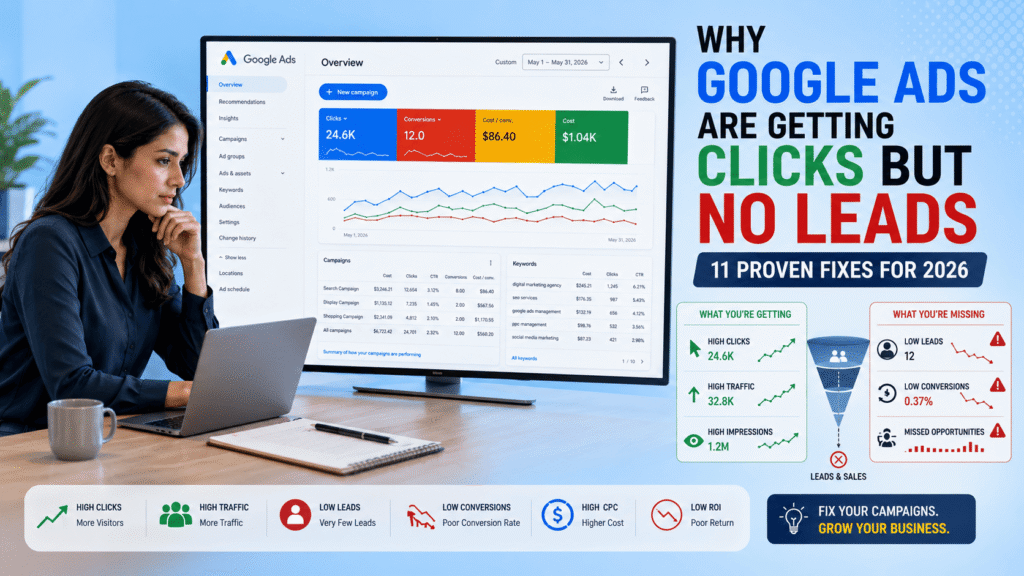
Google Ads Are Getting Clicks But No Leads: 11 Proven Fixes for 2026
Introduction
Many business owners face the same frustrating problem. They launch a Google Ads campaign, see hundreds of clicks arriving on their website, spend a significant advertising budget, but receive very few leads or inquiries.
At first glance, the campaign appears successful because traffic is increasing. However, when clicks fail to convert into phone calls, form submissions, WhatsApp messages, or sales.
What Does “Google Ads Clicks But No Leads” Actually Mean?
When advertisers say they are getting clicks but no leads, they usually mean:
- People are clicking the ads.
- Visitors are landing on the website.
- Ad spend is increasing.
- Conversions are not happening.
A conversion could be:
- A contact form submission
- A phone call
- A WhatsApp message
- A booked consultation
- A quote request
- A purchase
The problem is not always the Google Ads campaign itself. In many cases, the issue occurs after the user clicks the ad.
Think of Google Ads as a vehicle bringing people to your business. If visitors arrive but don’t take action, something in the customer journey is broken.
Why This Problem Matters More in 2026
Google Ads is becoming more competitive every year.
Businesses are now competing with:
- AI-powered advertisers
- Automated bidding systems
- Smart campaigns
- Performance Max campaigns
- Local competitors
As cost-per-click (CPC) increases, every click becomes more valuable.
If your Google Ads campaign receives 500 clicks but generates only 2 leads, you’re essentially paying for traffic without getting business results.
This is why conversion optimization is just as important as traffic generation.
11 Proven Reasons Why Google Ads Are Getting Clicks But No Leads
1. Your Landing Page Doesn’t Match User Intent
This is one of the most common problems.
Example:
A user searches:
“SEO services for local business”
Your ad promises:
“Affordable SEO Services”
After clicking, the visitor lands on your homepage.
Instead of finding SEO information immediately, they must search through multiple pages.
Most users leave.
Why This Happens
People expect consistency.
The message in your ad should match the message on your landing page.
Solution
Create dedicated landing pages for:
- SEO Services
- Google Ads Services
- Local SEO
- Website Development
- Social Media Marketing
Each ad group should have its own landing page.
2. Your Offer Isn’t Strong Enough
Many businesses advertise services but fail to provide a compelling reason to take action.
Example:
Weak Offer:
“Contact Us Today”
Strong Offer:
“Get a Free SEO Audit Worth $99”
or
“Book a Free 30-Minute Marketing Strategy Session”
Why It Matters
Users need a reason to engage.
A strong offer increases conversion rates significantly.
Solution
Test:
- Free audits
- Free consultations
- Free strategy calls
- Free website reviews
- Free marketing assessments
3. You’re Targeting the Wrong Keywords
Not all clicks are valuable.
Example:
Keyword:
“SEO”
This keyword is extremely broad.
The searcher may be:
- Learning SEO
- Looking for a course
- Searching for definitions
They may not be looking for an agency.
Better Keyword
“SEO Agency in Surat”
or
“Local SEO Services for Small Business”
These keywords indicate buying intent.
Solution
Focus on:
- Commercial intent keywords
- Service-based keywords
- Location-based keywords
4. You’re Missing Negative Keywords
Negative keywords prevent irrelevant clicks.
Without negative keywords, Google may show ads to people who are unlikely to convert.
Example:
If you sell SEO services, you may want to exclude:
- Free
- Course
- Training
- Jobs
- Salary
Why This Matters
Negative keywords save budget.
They improve:
- Lead quality
- Conversion rate
- Return on ad spend
Solution
Review search terms weekly.
Add irrelevant queries as negative keywords.
5. Your Website Loads Too Slowly
Speed affects conversions.
Even a few seconds of delay can reduce lead generation.
Modern users expect websites to load instantly.
Warning Signs
- High bounce rate
- Low engagement time
- Low conversion rate
Solution
Improve:
- Image optimization
- Hosting performance
- Caching
- Mobile speed
Use:
- Google PageSpeed Insights
- GTmetrix
to identify issues.
6. Mobile Experience Is Poor
Most Google Ads traffic comes from mobile devices.
If your website works well on desktop but poorly on mobile, conversions will suffer.
Common Problems
- Small buttons
- Hard-to-read text
- Slow loading pages
- Poor navigation
- Long forms
Solution
Test every landing page on:
- Android
- iPhone
- Tablets
Focus on usability.
7. Your Contact Form Is Too Long
Many businesses unknowingly create conversion barriers.
Example:
A form asking for:
- Name
- Phone
- Address
- Company
- Revenue
- Industry
- Website
- Project Budget
may discourage users.
Solution
Ask only for essential information.
Recommended:
- Name
- Phone Number
The shorter the form, the higher the conversion rate in many cases.
8. Lack of Trust Signals
Visitors need confidence before submitting information.
Trust Elements
- Reviews
- Testimonials
- Client logos
- Certifications
- Case studies
- Portfolio examples
Without trust signals, users hesitate.
Solution
Add:
- Google reviews
- Client success stories
- Before-and-after results
- Business certifications
throughout your landing pages.
9. Conversion Tracking Is Broken
Sometimes leads are actually happening.
Google Ads simply isn’t recording them.
Common Issues
- Incorrect tracking setup
- Missing thank-you pages
- Broken Google Tag Manager implementation
- Incorrect event configuration
Solution
Verify:
- Google Ads Conversion Tracking
- Google Analytics 4
- Google Tag Manager
regularly.
Many businesses discover they were receiving leads all along.
10. Your Ads Attract Curiosity Instead of Buyers
Some ads generate clicks but attract low-intent visitors.
Example:
“Learn About SEO”
attracts researchers.
Example:
“Get SEO Services for Your Business”
attracts buyers.
Solution
Write ad copy focused on outcomes.
Include:
- Pricing
- Benefits
- Service information
- Clear CTAs
This filters out unqualified traffic.
11. You’re Not Following Up Fast Enough
Lead generation doesn’t end when someone submits a form.
Response speed matters.
Research consistently shows that faster follow-up increases conversion rates.
Best Practice
Respond within:
- 5 minutes
- 15 minutes maximum
Not:
- 24 hours later
- 2 days later
Many businesses lose leads because competitors respond first.
Step-by-Step Google Ads Audit Process
If your Google Ads campaign is getting clicks but no leads, follow this audit process before increasing your budget.
Step 1: Review Search Terms Report
The Search Terms Report shows exactly what users typed before clicking your ad.
Check For:
- Irrelevant keywords
- Informational searches
- Low-intent traffic
- Competitor-related searches
Action:
Add irrelevant terms as negative keywords.
This single step can dramatically improve lead quality.
Step 2: Analyze Landing Page Performance
Your landing page is where conversions happen.
Review:
- Bounce Rate
- Engagement Time
- Conversion Rate
- Scroll Depth
- Mobile Experience
Questions To Ask
- Does the headline match the ad?
- Is the offer clear?
- Is the CTA visible?
- Does the page build trust?
If the answer is “no,” your landing page likely needs improvement.
Step 3: Check Conversion Tracking
Many advertisers assume they have a lead problem when they actually have a tracking problem.
Verify:
- Form submissions
- Phone calls
- WhatsApp clicks
- Appointment bookings
Use:
- Google Tag Manager
- Google Analytics 4
- Google Ads Conversion Tracking
Step 4: Review Audience Targeting
Sometimes the audience is wrong.
Ask:
- Are users in the correct location?
- Are demographics relevant?
- Are audience signals accurate?
Example
A local business targeting all of India may receive irrelevant traffic.
Target only the cities you serve.
Step 5: Evaluate Ad Copy
Your ad should pre-qualify visitors.
Good ad copy attracts buyers.
Poor ad copy attracts everyone.
Example
Weak:
“Digital Marketing Services”
Better:
“Get More Leads With Expert Digital Marketing Services”
The second version sets expectations and attracts higher-quality prospects.
Best Practices to Improve Google Ads Lead Generation
Align Keywords, Ads, and Landing Pages
Consistency matters.
Keyword:
Local SEO Services
Ad:
Local SEO Services for Small Businesses
Landing Page:
Local SEO Services Page
This alignment improves conversions.
Use Dedicated Landing Pages
Avoid sending paid traffic to:
- Homepages
- Generic service pages
Create conversion-focused landing pages.
Include:
- Clear headline
- Strong offer
- Benefits
- Testimonials
- CTA
Optimize For Mobile Users
Most visitors come from smartphones.
Ensure:
- Fast loading
- Easy navigation
- Clickable phone numbers
- Mobile-friendly forms
Test Different Offers
Examples:
- Free Consultation
- Free SEO Audit
- Free Website Review
- Free Marketing Strategy Call
Different offers appeal to different audiences.
Continuously Improve
Google Ads optimization is ongoing.
Monitor:
- Click-through rate
- Conversion rate
- Cost per lead
- Quality score
Regular improvements often outperform large one-time changes.
Tools and Resources
Google Ads
Essential for campaign management and optimization.
Google Analytics 4
Provides valuable data about:
- User behavior
- Landing page performance
- Conversion paths
Google Tag Manager
Helps implement tracking without modifying website code repeatedly.
Google PageSpeed Insights
Measures website speed and performance.
Google Trends
Identifies growing search trends and opportunities.
Microsoft Clarity
Provides:
- Session recordings
- Heatmaps
- User behavior insights
Excellent for understanding why visitors are not converting.
Real-World Example
Imagine a local digital marketing agency running Google Ads.
Campaign Results:
- 1,200 clicks
- 4 conversions
The agency assumed Google Ads was ineffective.
After conducting an audit, they discovered:
Problems
- Homepage used as landing page
- No testimonials
- No clear CTA
- Slow mobile loading speed
- No negative keywords
Changes Made
- Created dedicated landing page
- Added testimonials
- Improved mobile speed
- Added negative keywords
- Simplified lead form
New Results
Within 60 days:
- Conversion rate increased
- Cost per lead decreased
- Lead quality improved
- ROI increased significantly
The problem wasn’t Google Ads.
The problem was the conversion process.
Comparison Table
| Problem | Impact | Solution |
|---|---|---|
| Wrong Keywords | Poor Lead Quality | Use Intent-Based Keywords |
| Slow Website | High Bounce Rate | Improve Speed |
| Weak Offer | Low Conversions | Create Better Incentives |
| No Trust Signals | User Hesitation | Add Reviews & Testimonials |
| Poor Mobile Experience | Lost Leads | Mobile Optimization |
| Broken Tracking | Inaccurate Data | Fix Tracking Setup |
| Long Forms | Reduced Conversions | Simplify Forms |
Common Mistakes to Avoid
1. Increasing Budget Without Fixing Conversions
Why It Happens:
Businesses assume more traffic will solve the problem.
Impact:
Higher ad spend with no additional leads.
Solution:
Fix conversion issues first.
2. Ignoring Landing Pages
Why It Happens:
Focus remains only on ads.
Impact:
Poor user experience.
Solution:
Optimize landing pages continuously.
3. Targeting Broad Keywords
Why It Happens:
Desire for more traffic.
Impact:
Low-quality visitors.
Solution:
Use commercial-intent keywords.
4. Not Using Negative Keywords
Why It Happens:
Lack of campaign maintenance.
Impact:
Wasted budget.
Solution:
Review search terms weekly.
5. Poor Mobile Experience
Why It Happens:
Desktop-only testing.
Impact:
Lost conversions.
Solution:
Prioritize mobile optimization.
6. Weak Calls-to-Action
Why It Happens:
Generic messaging.
Impact:
Visitors leave without acting.
Solution:
Use clear and compelling CTAs.
7. Not Measuring Results
Why It Happens:
Tracking setup ignored.
Impact:
Poor decision-making.
Solution:
Track every conversion accurately.
Expert Tips to Increase Google Ads Leads Faster
Many businesses focus only on generating clicks, but experienced advertisers focus on generating qualified leads. The difference is significant.
Tip 1: Focus on Buyer Intent Keywords
Not all keywords have the same value.
Example:
Low Intent:
- What is SEO?
- Learn Google Ads
- Digital Marketing Course
High Intent:
- SEO Agency Near Me
- Google Ads Management Services
- Local SEO Company
Buyer-intent keywords often generate fewer clicks but more conversions.
Tip 2: Use Call Extensions
Many businesses search from mobile devices and prefer calling directly.
Benefits:
- Faster lead generation
- Higher conversion rates
- Improved user experience
For local businesses, call extensions can significantly increase lead volume.
Tip 3: Build Trust Immediately
Visitors make decisions quickly.
Add:
- Google Reviews
- Client Testimonials
- Certifications
- Success Stories
- Case Studies
Trust reduces hesitation.
Tip 4: Track Every Conversion
Track:
- Form submissions
- Phone calls
- WhatsApp clicks
- Appointment bookings
- Quote requests
Data-driven optimization produces better results than guessing.
Tip 5: Continuously Test
Test:
- Headlines
- CTAs
- Landing Pages
- Forms
- Offers
Small improvements can create large gains in conversion rates.
Future Trends in Google Ads for 2026 and Beyond
Google Ads is evolving rapidly.
Businesses should prepare for these trends.
AI-Powered Campaign Optimization
Artificial intelligence now influences:
- Bidding
- Targeting
- Ad creation
- Audience segmentation
Businesses that understand AI will gain a competitive advantage.
First-Party Data Will Become More Important
Privacy regulations continue to change.
Businesses should focus on:
- Email lists
- CRM systems
- Customer databases
First-party data helps improve campaign performance.
Landing Page Experience Will Matter More
Google increasingly rewards advertisers who provide a positive user experience.
Important factors include:
- Speed
- Mobile usability
- Content quality
- Relevance
Automation Will Continue Growing
Campaign types such as:
- Performance Max
- Smart Bidding
- AI-generated Ads
will become increasingly common.
However, human strategy will remain critical.
Internal Linking Opportunities
You can naturally link this article to other relevant Social Digi Marq content.
Suggested Internal Links:
How to Rank in Google AI Search
Anchor Text:
How to Rank in Google AI Search
AI Tools for Social Media Marketing in 2026
Anchor Text:
AI Tools for Social Media Marketing in 2026
Digital Marketing Roadmap for Beginners
Anchor Text:
Digital Marketing Roadmap
SEO Services
Anchor Text:
Professional SEO Services
Contact Us
Anchor Text:
Get a Free Marketing Consultation
Trusted External Resources
For additional learning, readers can explore:
- Google Ads Help Center
- Google Search Central
- Google Analytics Help
- Google Trends
- Google Tag Manager Documentation
These resources provide official guidance directly from Google.
If Google Ads Are Getting Clicks But No Leads, the problem is usually not the clicks themselves but what happens after users land on your website. Many businesses find that Google Ads Are Getting Clicks But No Leads because of poor landing page experience, incorrect audience targeting, weak offers, or missing conversion tracking. When you identify why Google Ads Are Getting Clicks But No Leads and fix these issues, you can improve conversion rates, generate more qualified leads, and get better returns from your advertising budget.
Many advertisers become frustrated when Google Ads Are Getting Clicks But No Leads despite investing significant time and budget into their campaigns. In most cases, Google Ads Are Getting Clicks But No Leads because there is a disconnect between the ad message, audience intent, and landing page experience. If Google Ads Are Getting Clicks But No Leads in your account, regularly reviewing targeting, conversion tracking, ad copy, and landing page performance can help turn more visitors into qualified leads and customers.
Conclusion
Getting clicks but no leads is one of the most common Google Ads problems faced by businesses in 2026.
Fortunately, the issue is usually not the number of clicks. The real challenge often lies in targeting, landing page optimization, user experience, offer quality, conversion tracking, and lead qualification.
By following the strategies outlined in this guide, businesses can improve lead quality, reduce wasted ad spend, and increase return on investment.
Key Takeaways:
- Focus on buyer-intent keywords.
- Optimize landing pages.
- Improve mobile experience.
- Use strong offers.
- Track conversions accurately.
- Build trust through testimonials and reviews.
- Continuously test and improve campaigns.
Google Ads can be one of the most powerful lead-generation channels available when campaigns are properly optimized.
Instead of asking:
“How can I get more clicks?”
Ask:
“How can I get more qualified leads?”
That shift in mindset often produces the biggest improvement in campaign performance.
FAQs
Why are my Google Ads getting clicks but no conversions?
This usually happens because of poor landing pages, weak offers, incorrect targeting, slow website speed, or broken conversion tracking.
What is a good Google Ads conversion rate?
Most industries target a conversion rate between 3% and 10%, although results vary depending on competition and customer intent.
How do I improve Google Ads lead quality?
Use buyer-intent keywords, negative keywords, strong landing pages, clear CTAs, and proper audience targeting.
Can landing pages affect Google Ads performance?
Yes. Even a perfectly optimized ad campaign can fail if the landing page does not convert visitors into leads.
How often should I optimize my Google Ads campaigns?
Campaigns should be reviewed weekly and optimized monthly to improve performance and reduce wasted spend.
Are Google Ads still worth it in 2026?
Yes. Google Ads remains one of the most effective digital marketing channels for businesses that want immediate visibility and qualified leads.
What is more important: clicks or leads?
Leads are more important. A campaign generating 50 qualified leads is usually more valuable than a campaign generating 5,000 clicks with no conversions.
Blogs
- How to Rank in Google AI Search – Blogs
- AI Tools for Social Media Marketing in 2026-Blogs
- Digital Marketing Roadmap for Beginners – Blogs
- Local SEO Strategies for Small Businesses – Blogs
- Google Business Profile Optimization Guide –Blogs
- Google Ads Help – https://support.google.com/google-ads
- Google Search Central – https://developers.google.com/search
- Google Analytics Help – https://support.google.com/analytics
- Google Trends – https://trends.google.com
- Google PageSpeed Insights – https://pagespeed.web.dev
FAQs
Why am I getting clicks on Google Ads but no leads?
The most common reasons include poor landing pages, incorrect audience targeting, weak offers, slow website speed, and conversion tracking issues. High click-through rates do not automatically guarantee lead generation.
What is a good conversion rate for Google Ads?
A good Google Ads conversion rate varies by industry, but most businesses aim for 3%–10%. Service-based businesses often achieve higher conversion rates with optimized landing pages.
Can bad keywords cause clicks but no leads?
Yes. Broad or irrelevant keywords can attract visitors who are not ready to buy. Using high-intent keywords and negative keywords can improve lead quality.
How do I improve Google Ads lead generation?
Improve your landing page, refine audience targeting, use conversion-focused ad copy, optimize forms, and ensure conversion tracking is configured correctly.
Does landing page design affect Google Ads conversions?
Absolutely. A confusing layout, slow loading speed, weak call-to-action, or lack of trust signals can significantly reduce conversion rates.
How can I track Google Ads conversions correctly?
Set up conversion actions in Google Ads, connect Google Analytics 4, use Google Tag Manager if necessary, and test all conversion events before running campaigns.
Why are my Google Ads generating low-quality leads?
Low-quality leads often result from broad targeting, poor keyword selection, weak qualification questions, or attracting users who are still in the research stage rather than the buying stage.